Calls log themselves
The app picks up the call, its duration and whether it connected — the telecaller only picks the outcome. Nothing is typed twice, nothing is forgotten at the end of a shift.
Oceonic Tele CRM puts an Android app in your telecallers' hands and a live pipeline on your screen. Calls log themselves, statuses come straight from your own pipeline, and WhatsApp sits in the same window.
14-day trial · no card needed · set up in a day
 Oceonic Tele CRM
⟳
Oceonic Tele CRM
⟳
7 follow-ups owed today
Not a generic sales CRM with a phone field bolted on. Every screen assumes someone is on a call right now.
The app picks up the call, its duration and whether it connected — the telecaller only picks the outcome. Nothing is typed twice, nothing is forgotten at the end of a shift.
Name your own stages — "Site Visit Scheduled", "Quote Sent", "Advance Pending". The app offers exactly those, and the stage name is stored on every update, so a rename never rewrites your history.
Upload a list, pick a manager, choose the team, then split it evenly, by percentage, or hand the lot to one person. Staff only ever see the campaigns they are on.
Official Cloud API. Replies land in a shared inbox against the right customer, templates open a conversation outside the 24-hour window, and the telecaller can message from the call screen.
Calls, talk time, connect rate and what each stage turned into — per person, per day, per campaign. Telecallers get their own figures in the app, so targets are not a monthly surprise.
Drop in an Excel or CSV list and assign it as it lands. Numbers already on your books are caught before they reach a caller — and one company's list never collides with another's.
A telecaller sees their own leads. A campaign manager sees the team's. An admin sees everything. Every query is scoped to your company — not hidden in the interface, filtered in the database.
Book a callback with a date and a time and it appears at the top of that telecaller's day, oldest debt first — on the phone and on the dashboard.
When a customer rings in, a popup shows who they are, where they sit in the pipeline and what was said last — before the phone is answered.
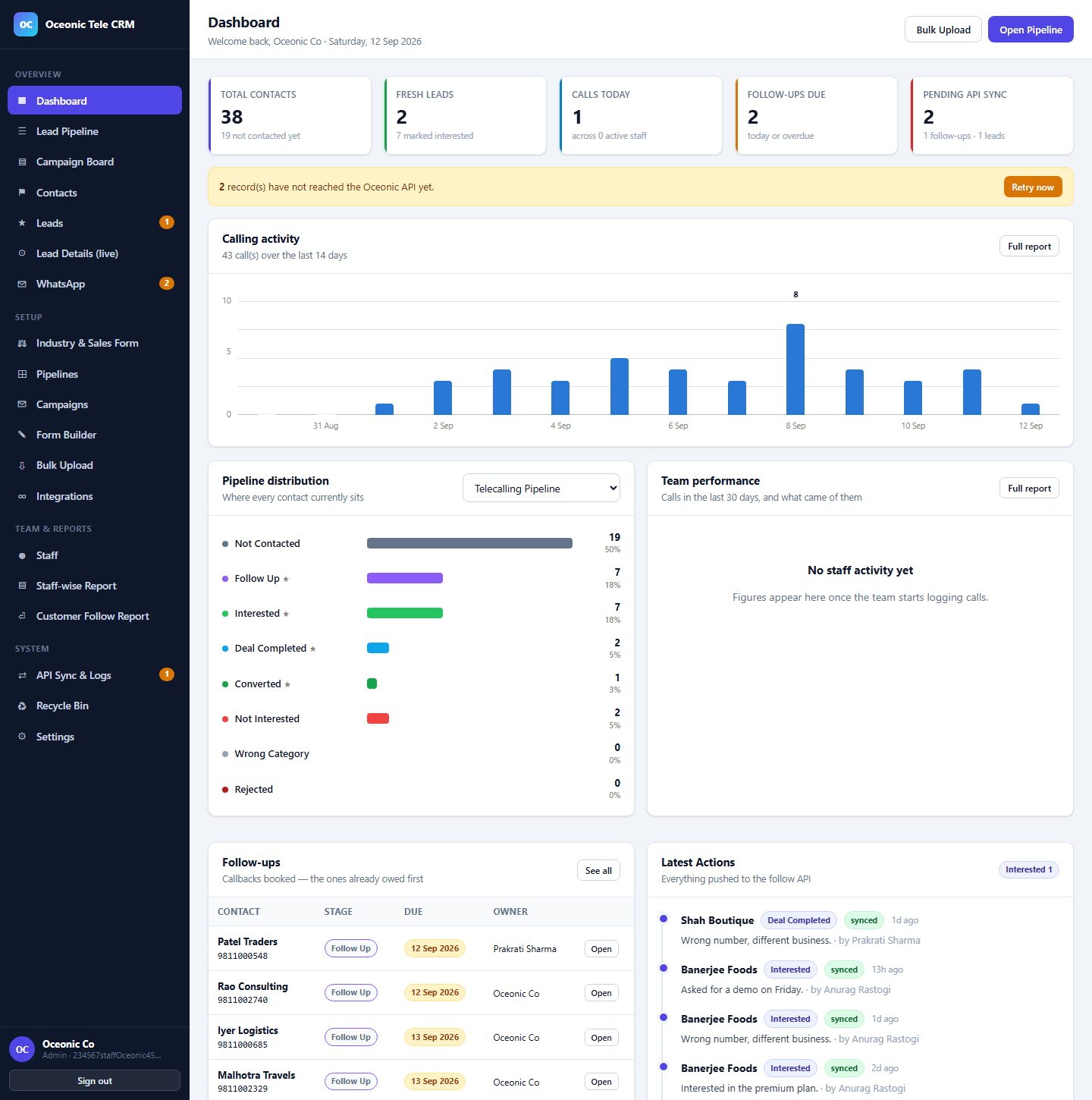
Real screens from the product — not illustrations.
Contacts, fresh leads, calls today and follow-ups owed, with two weeks of calling activity and where every contact currently sits.
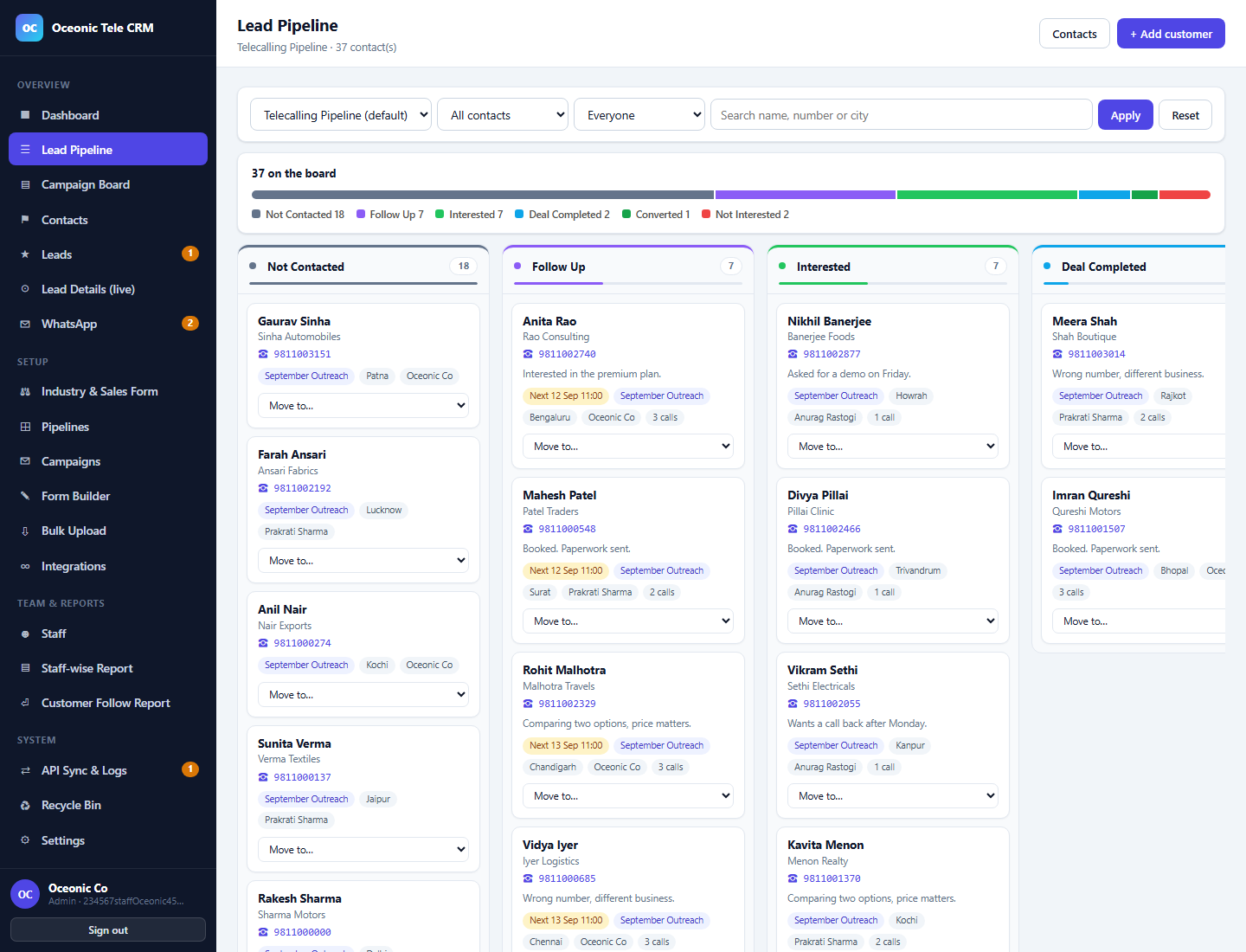
A column per stage of your own pipeline. Move a card and the customer's status, history and the caller's app all change together.
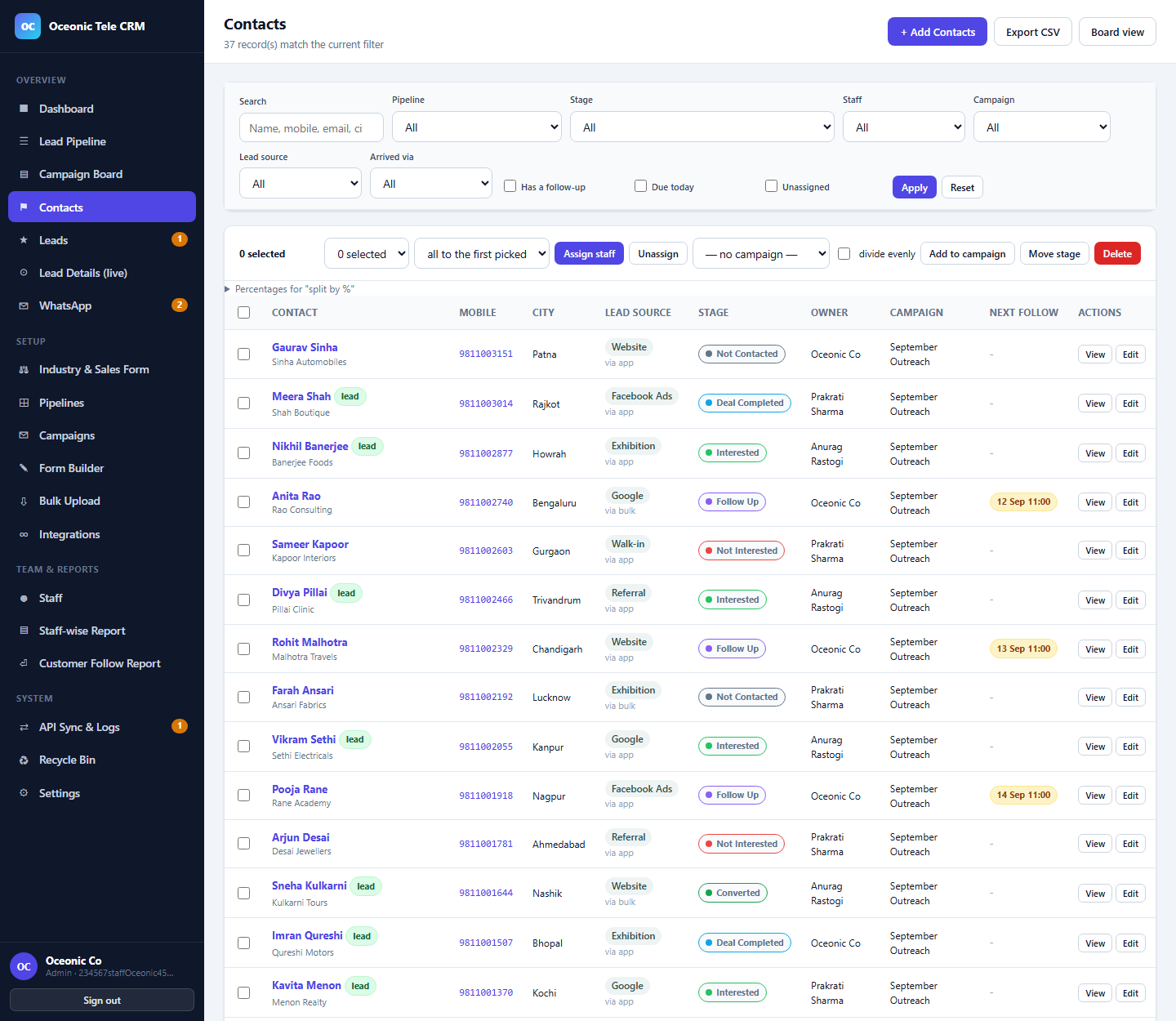
Filter by stage, staff, campaign, lead source or follow-up, then assign, move or add the selection to a campaign in one go.
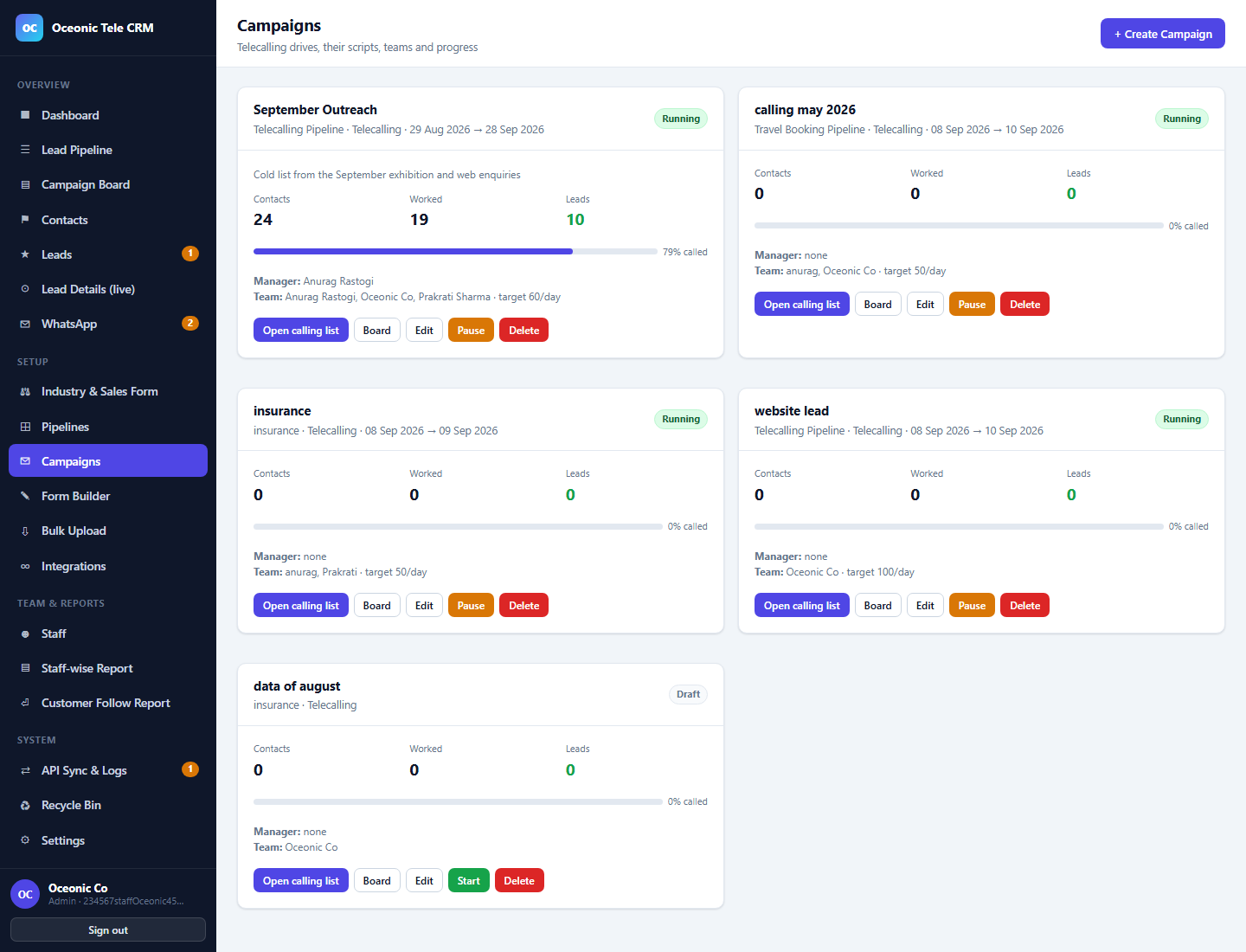
Each campaign carries its own script, team, manager and daily target — and shows how much of the list has actually been worked.
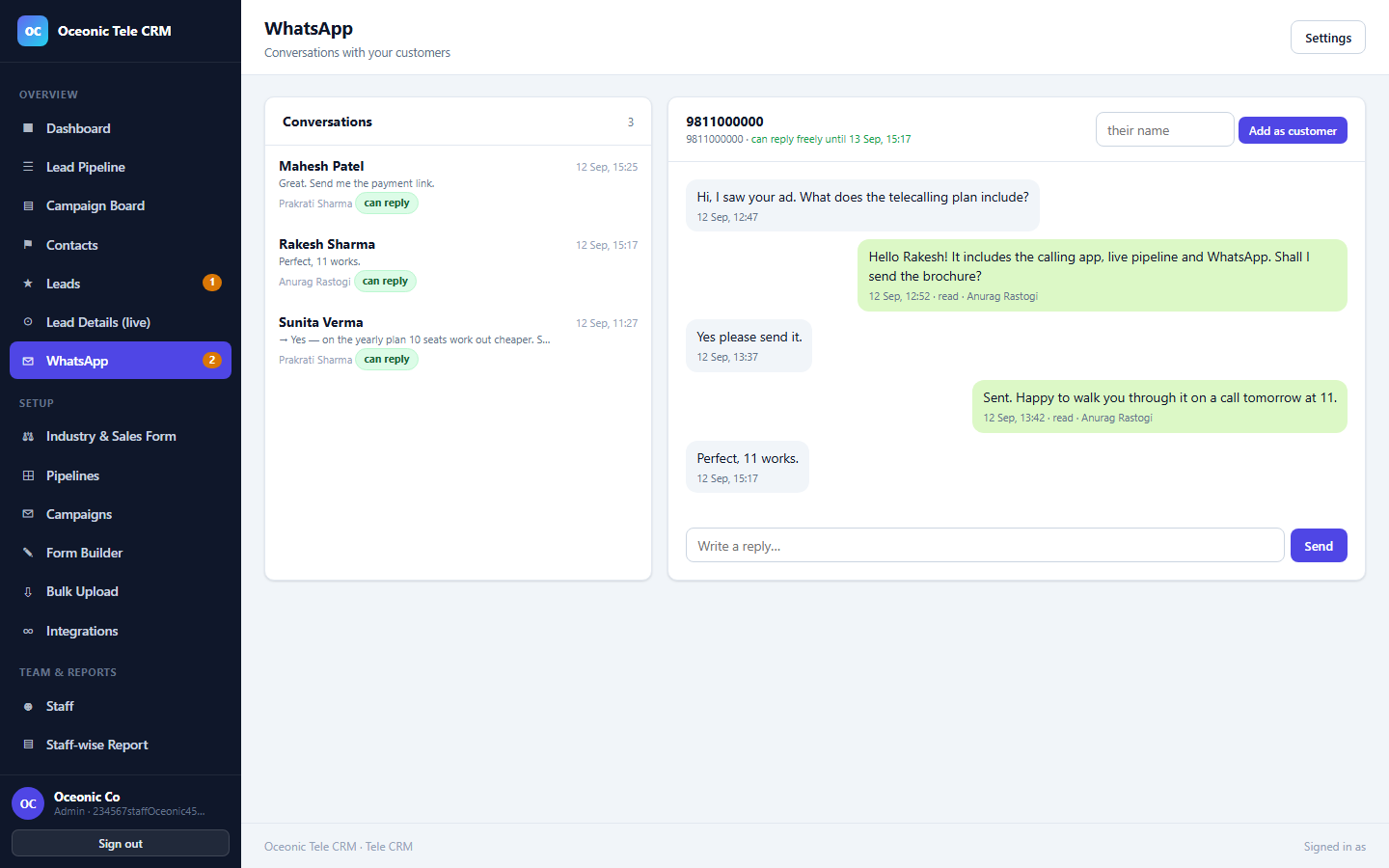
A shared inbox tied to your customer records. The header tells you how long the free-reply window has left before a template is needed.
Opens to what is owed today. Six doors, one tap each, and it keeps working when the signal does not.
Oceonic Tele CRM⟳
7 follow-ups owed today
Every plan includes the Android app, the dashboard and unlimited contacts. Pay only for the people who make calls.
index.html (search for
data-m), then delete this notice.
A small team finding its feet — one office, one list.
Billed monthly · minimum 3 users
Start free trialA calling floor with campaigns, managers and WhatsApp.
Billed monthly · minimum 5 users
Start free trialSeveral branches, your own number, your own rules.
Billed monthly · minimum 15 users
Talk to sales
All prices exclude GST. 14-day trial on every plan — no card, no commitment.
Need something in between? Tell us the shape of your team.
Yes. The app watches the phone's own call state, so it knows when a call started, how long it lasted and whether it connected or was missed. The telecaller only picks the outcome — the rest is already filled in.
That is the point of pipelines. Build "New Enquiry → Site Visit → Negotiation → Booked" for property, or "Enquiry → Itinerary → Quote → Advance → Booked" for travel. The app shows those exact stages. Rename one later and your old history keeps the name it was saved under, so last quarter's report still reads correctly.
It is your number, on the official WhatsApp Business Cloud API from Meta. You connect it once in Settings. Incoming messages arrive against the matching customer, replies go out from the same number, and approved templates let you start a conversation outside WhatsApp's 24-hour window.
No. A telecaller sees the contacts assigned to them and the campaigns they are on. A campaign manager sees their campaign's whole team. Admins see everything. The filtering happens in the database, not in the interface.
The calling list is cached on the device, so it opens and works as usual. Calls and status updates are queued and sync when the connection comes back, and the dashboard shows anything still waiting.
Bulk upload takes Excel and CSV directly, and it checks for numbers you already have before anything reaches a caller. For call history and anything unusual, our team does the migration for you.
Every record carries a company id and every query is scoped to it. One company's list, staff, campaigns and WhatsApp threads are never visible to another, even by accident.
Send us a sample list and we will set up a trial with your pipeline, your stages and your team — usually the same day.
info@oceonic.cc · crm.oceonic.cc